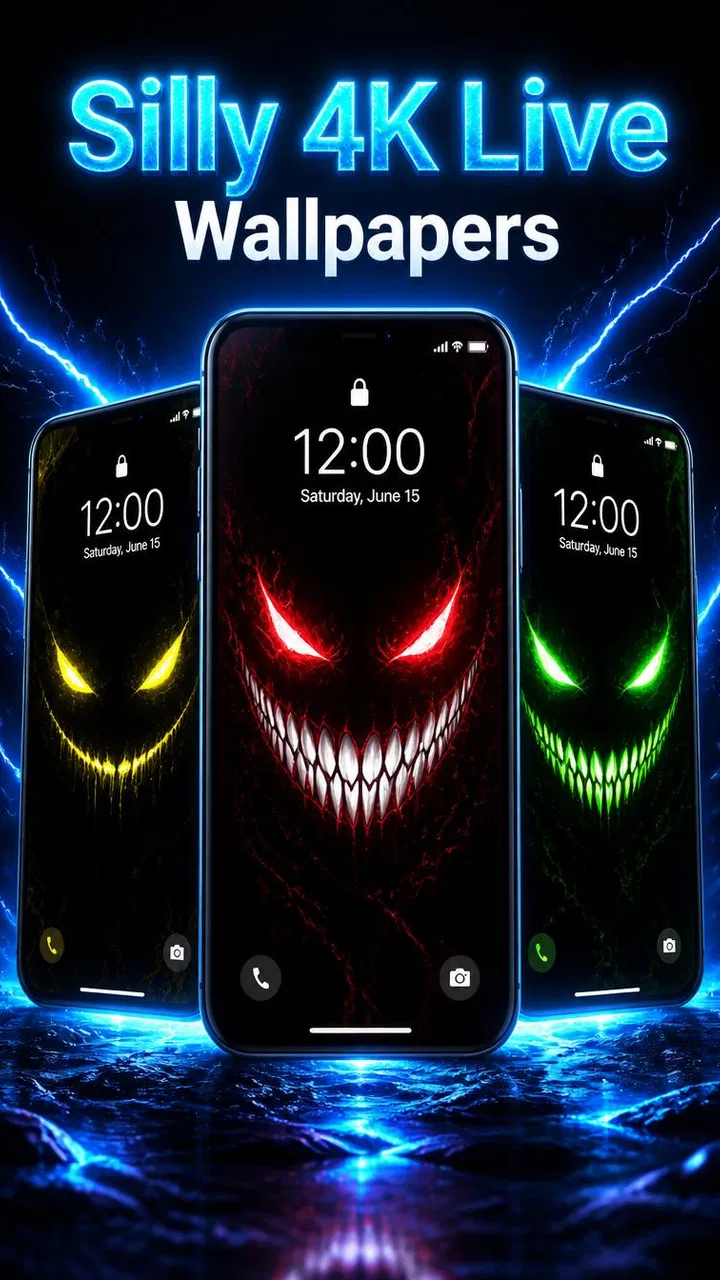
Smile Live Wallpaper 4K
- 0.0
- Rating
- 100.00K
- Installs
- Free
- Price

 Analysis by App-foxy
I approached Smile Live Wallpaper 4K as a small personalization app rather than something that needs a long learning curve. Its purpose is easy to understand: give the phone a more playful look with a live wallpaper built around a smile-themed visual style. That simplicity is the main attraction, but it also means the quality of the experience depends heavily on how smoothly the wallpaper is applied and how well it fits your phone’s everyday use.
The app is free, aimed at Everyone, and comes from TH Railway Joinstock. It belongs to the personalization category, so the right comparison is not with photo editors or launchers, but with the static wallpaper already included on your phone and with other animated wallpaper tools. I found it most appealing when I wanted a quick visual change without rebuilding my home screen around a new launcher.
Getting past the first setup obstacles
The first place users can get stuck is assuming that opening the app automatically changes the phone’s background. Live wallpaper apps commonly require an extra confirmation through the device’s wallpaper picker, and that handoff can feel less obvious than the app itself. If the image is visible inside the application but nothing changes on the home screen, I would check the system wallpaper screen before reinstalling anything.
You May Also Like

 Blood Strike: 2.5 Anniversary
Blood Strike’s Loadouts Turn Every Drop Into a Tactical Gamble
A close look at Blood Strike’s custom loadouts: how fast access to signature weapons reshapes its battle royale rhythm, rewards preparation, and narrows the gap between fights.

 Pandora - Music & Podcasts
Pandora’s Music Is Easy to Start, but Harder to Recover
Pandora’s strength is its low-effort path from a seed to a station. Its weak spot is how much confidence it asks you to place in connection, setup, and quiet recovery.

 8 Ball Pool
8 Ball Pool Is Built on Rivalries, Rematches, and Routine
A close look at the rivalries, rematches, shared routines, and unanswered safety questions that turn a quick pool match into a persistent mobile community.

 Samsung Music
Samsung Music’s Quiet Strength Is Playing What You Already Own
Its reach comes less from spectacle than from dependable access to a personal library. That simplicity is both the app’s strongest retention engine and its ceiling.

 AccuWeather: Weather Radar
AccuWeather Review: A Quick, Clear Forecast for Everyday Decisions
For everyday plans, the best forecast is the one you can understand quickly. AccuWeather makes rain timing, radar, and local conditions easy to act on, with a few trade-offs.

 Hill Climb Racing
Why Hill Climb Racing Still Turns Crashes Into One More Run
A tiny car, a bumpy hill and one more upgrade: Hill Climb Racing keeps resurfacing because its simple chaos makes every near-miss feel personal.
More From Our News Desk



On Android, the exact wording and layout can vary by manufacturer. A phone may ask whether the live wallpaper should appear on the home screen, the lock screen, or both. Those choices matter: selecting only one location can make the app seem partly unsuccessful when it is actually working as instructed. I recommend deciding first where the animation is useful and applying it there deliberately.
Another practical check is compatibility. The application requires Android 8.0 or later, so an older device will not be a suitable candidate. On a compatible phone, I would still make sure the operating system is behaving normally, the device has enough free storage for the app and its resources, and the battery is not in an extreme saving mode during setup. These are simple checks, but they prevent confusing a phone restriction with an app problem.
The current release is version 3.0, and the app was released on April 20, 2026. I would use the current store version rather than relying on an old installation package, especially if the wallpaper picker behaves strangely. Keeping the app current is also the most sensible first step when the preview appears but the final wallpaper does not.
What to check before blaming the wallpaper
Before applying it, I would temporarily note what the phone is already using. Some Android interfaces include their own theme engine, rotating wallpaper service, or manufacturer-specific lock-screen display. If one of those systems is active, it may replace a manually selected live wallpaper later. The result looks like a failed installation even though the wallpaper was applied successfully at first.
I would also check whether a third-party launcher is controlling the home screen. A launcher can change how wallpaper previews are displayed and may handle the lock screen separately from the default Android interface. This does not automatically make the app incompatible, but it creates another layer to test. The cleanest troubleshooting method is to apply the wallpaper using the phone’s standard wallpaper settings, then compare the result before changing launcher settings.
Notifications and permissions can also create unnecessary worry. I would not grant access that the app does not clearly need for its basic purpose, and I would avoid treating a permission prompt as proof that every option is required. For a wallpaper application, the most useful test is whether the preview loads, the system accepts the selection, and the result remains visible after leaving the setup screen.
A sensible setup workflow
My preferred workflow is simple. I open the app, inspect the available presentation, and look for the action that sends the selection to Android’s wallpaper controls. I then choose the intended screen, confirm the change, return to the home screen, and wait briefly to see whether the live effect starts. This sequence is more reliable than repeatedly tapping the app’s preview and expecting the home screen to update instantly.
If the wallpaper appears on the home screen but not on the lock screen, I would repeat the process and select both locations only if that is what I actually want. Some people prefer an animated home screen while keeping the lock screen clean for notifications. That is a useful compromise, particularly on phones where a busy lock screen makes alerts harder to read.
Icons and widgets deserve attention too. The smile-themed design may look cheerful in an empty preview but compete with brightly colored icons once applied. I found it more practical to place the most important widgets in areas with less visual movement and to avoid stacking transparent widgets over the focal part of the image. This is not a special feature of the app; it is a way to make this particular style easier to live with.
The best setup is the one that protects readability first and decoration second. A wallpaper can look impressive in a preview yet become tiring when the clock, weather widget, and app labels sit on top of it all day. I would judge the result from the actual home screen, not from the app’s preview alone.
Recovering when the wallpaper disappears or feels wrong
A common recovery mistake is changing several settings at once. If the animation stops, I would first return to the wallpaper picker and confirm which background is selected. If the phone has switched back to a static image, I would apply the live wallpaper again before touching battery settings, launcher settings, or display themes. One change at a time makes it much easier to identify the cause.
Restarting the phone is also a reasonable general step when the preview works but the applied wallpaper vanishes after leaving the settings screen. After the restart, I would check the home screen and lock screen separately. If the result is still missing, I would clear the app from recent tasks, reopen it, and repeat the system selection process. These steps are deliberately conservative and avoid assuming a hidden feature or a specific manufacturer bug.
If the animation looks frozen, I would compare it with the preview and then check whether the phone has entered a battery-saving state. Some devices reduce background activity or pause visual effects to extend battery life. In that situation, the app may not be the real source of the change. Restoring the normal power profile briefly can show whether the wallpaper resumes, after which you can decide whether the visual effect is worth the extra activity on your device.
Battery use is one of the trade-offs I would consider before making this a permanent choice. A live wallpaper is more active than a still image, even when the effect is subtle. I would not promise the same battery impact on every phone because screen technology, refresh behavior, brightness, and manufacturer controls all differ. If battery life matters more than decoration, a static smile image or the phone’s standard background is the safer alternative.
When the problem belongs to the phone
Not every failure points to TH Railway Joinstock’s application. If other live wallpapers also fail to remain active, the issue is more likely connected to the phone’s wallpaper service, launcher, power management, or system software. Testing another live wallpaper can help separate an app-specific problem from a broader device limitation, but I would avoid installing several at once because they can make the result harder to interpret.
A manufacturer’s theme store may also take priority after a scheduled theme change or a personalization reset. If Smile Live Wallpaper 4K works immediately after selection and later gets replaced, I would inspect automatic theme or wallpaper rotation settings. The useful question is not simply “does the app work?” but “what process is allowed to change the wallpaper after I choose it?”
Screen clarity is another consideration. The 4K label suggests a focus on a sharp, high-resolution presentation, but the visible result still depends on the phone’s display and how Android crops the image for its aspect ratio. A tall phone may frame the design differently from a compact screen. If the smile or main visual element feels too close to an edge, I would try a different home-screen arrangement before concluding that the artwork is poorly designed.
Older hardware may also deliver a different experience from a newer phone. Android 8.0 is the minimum operating system, but system compatibility does not guarantee identical smoothness across every device. If the wallpaper stutters while menus and other animated backgrounds behave normally, reducing other demanding visual effects may help. If the phone struggles with live backgrounds generally, I would choose a static alternative rather than forcing an experience the hardware cannot comfortably provide.
Who will enjoy it, and who should skip it
I think this app suits someone who wants a friendly, noticeable phone refresh without committing to a full theme or launcher. It is especially fitting for a personal device where a cheerful lock screen or home screen adds character. Someone setting up a phone for a child or family member may also appreciate the approachable visual direction, although I would still check readability and battery behavior rather than assuming a playful image is automatically practical.
It is less suitable for users who prefer a restrained, information-first layout. If your home screen is built around dense calendars, financial widgets, navigation shortcuts, or work notifications, movement behind those elements can become distracting. People who need maximum battery endurance should also compare the live result with a static wallpaper for a full day before deciding.
I would skip it in favor of a launcher or complete theme when the goal is to change icons, menus, typography, and system colors together. A wallpaper app changes the background experience, not the whole interface. Conversely, I would choose it over a launcher when I like my current icon arrangement and only want a visual lift. That distinction saves time and prevents expecting a wallpaper to solve problems it was never meant to address.
How it compares with ordinary wallpaper choices
The standard phone wallpaper has two clear advantages: it is usually predictable and it places minimal demand on the device. A personal photo offers more emotional value and can be positioned around widgets with care. Smile Live Wallpaper 4K answers a different need by adding motion and a ready-made style, so its value depends on whether you want the screen to feel active every time you unlock it.
Compared with a general live wallpaper collection, this app appears more focused in identity. That can be a strength if you specifically want a smile-centered look and do not want to browse through unrelated themes. It can also be a limitation if you expect extensive customization, many visual categories, or a deep editor. I would choose a broader wallpaper platform for variety, while choosing this one for a quicker, more specific mood.
Its free price makes experimentation straightforward. I could install it, test it on the actual home screen, and remove it if the animation did not fit my routine without treating the decision as a major purchase. The Everyone content rating also makes the app broadly approachable, though the practical decision still comes down to screen comfort, device behavior, and personal taste.
My practical verdict after living with the idea
My overall view is positive but measured. Smile Live Wallpaper 4K does one job: it gives an Android phone a more playful animated identity. The strongest part is the low commitment. You do not need to replace your launcher, reorganize every icon, or learn a complicated editor just to try a different look.
The main friction is not the concept but the handoff between the app and Android’s own wallpaper controls. Users should expect to confirm the wallpaper through the system, choose the correct screen, and check whether another theme or battery setting later overrides it. Once that workflow is understood, most of the confusion becomes easier to resolve.
With over one hundred thousand installs, it has reached a meaningful audience for a focused personalization app. I would still treat that reach as a reason to try it, not as a guarantee that every phone will display the animation identically. The phone’s launcher, screen shape, power management, and existing theme can all affect the final result.
For my recommendation, I would tell a friend to try it when they want a cheerful animated background and are comfortable spending a few minutes checking the final layout. I would advise using a static image instead when battery life, visual calm, or widget readability takes priority. In short, this is a pleasant, focused customization choice—not a full theme system—and it works best when you judge it on the real home screen rather than the preview alone.
FAQs for Smile Live Wallpaper 4K
01What is Smile Live Wallpaper 4K?
Smile Live Wallpaper 4K is an Android personalization app that adds animated, high-resolution wallpaper designs to your device’s home or lock screen. Its content generally focuses on cheerful smile-themed visuals, bright colors, and motion effects. Before downloading, check the screenshots and description carefully, because the available wallpapers, animation styles, and supported screen options may vary depending on the app version and your device.
02Does Smile Live Wallpaper 4K work on every Android phone?
The application should work on many recent Android smartphones and tablets, but compatibility is not guaranteed for every model. Performance depends on your Android version, display resolution, graphics hardware, and the phone manufacturer’s wallpaper settings. Some devices may restrict live wallpapers on the lock screen or apply battery-saving limitations. It is best to verify the required Android version and recent user feedback before installing.
03Will Smile Live Wallpaper 4K drain my battery?
Like most animated wallpaper applications, Smile Live Wallpaper 4K can use more battery and system resources than a static background. The impact is usually influenced by animation speed, screen brightness, refresh rate, and how often the home screen is displayed. On a modern phone the difference may be modest, but older or budget devices could experience faster battery consumption or reduced smoothness.
04Is Smile Live Wallpaper 4K free to download and use?
The app may be available as a free download, but free wallpaper applications can include advertisements, optional purchases, premium designs, or limitations on certain features. Review the store listing before installing to understand what is included without payment. Also check the permissions requested during setup and avoid subscribing to any trial or premium service unless the pricing and cancellation terms are clear.
05How do I set or remove Smile Live Wallpaper 4K?
After opening the app, you typically select a wallpaper, preview its animation, and choose an option such as Set wallpaper or Apply. Android may then let you use it on the home screen, lock screen, or both, depending on the device. To remove it, open your phone’s wallpaper settings and select a static image or another live wallpaper. If the app behaves unexpectedly, clearing its data or uninstalling it should restore normal settings.
Pros
- Stunning 4K visuals make compatible screens look bright and lively.
- Smooth animations create an attractive effect without requiring interaction.
- Offers a cheerful style that suits users who enjoy colorful wallpapers.
- Easy to apply from the wallpaper selection screen.
- Works well as a decorative background for home and lock screens.
Cons
- High-resolution visuals may consume more battery on some devices.
- Animated wallpapers can use more RAM than static backgrounds.
- Some older phones may show reduced animation smoothness.
- The 4K quality is less noticeable on smaller or low-resolution displays.
- May include ads or optional purchases depending on the app version.

Smile Live Wallpaper 4K
Gallery